
FACTS Financial Management Tax Summary

FACTS Financial Management Tax Summary
Locate Your Tax Summary Documentation within the FACTS System.
|
1. From FACTSmgt.com, click Log in Here > Payment Plans/Financial Aid.
|
2. Once logged in, select View Details.
|
|
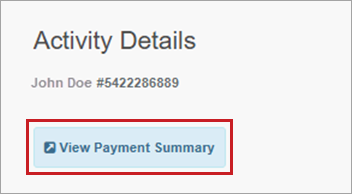
3. Select View Payment Summary
(Page will open in another window or tab) |
4. Select a year and click Print. |



Note: This report will show the total paid for each of the accounts (i.e. Tuition, Extended Day Care, Technology, Book Fees, etc.). The payer can select a year or a date range for this summary. If you have any questions, please contact a FACTS Customer Care Representative at 866-441-4637.