
Family Portal - Lunch Orders

Place a lunch order
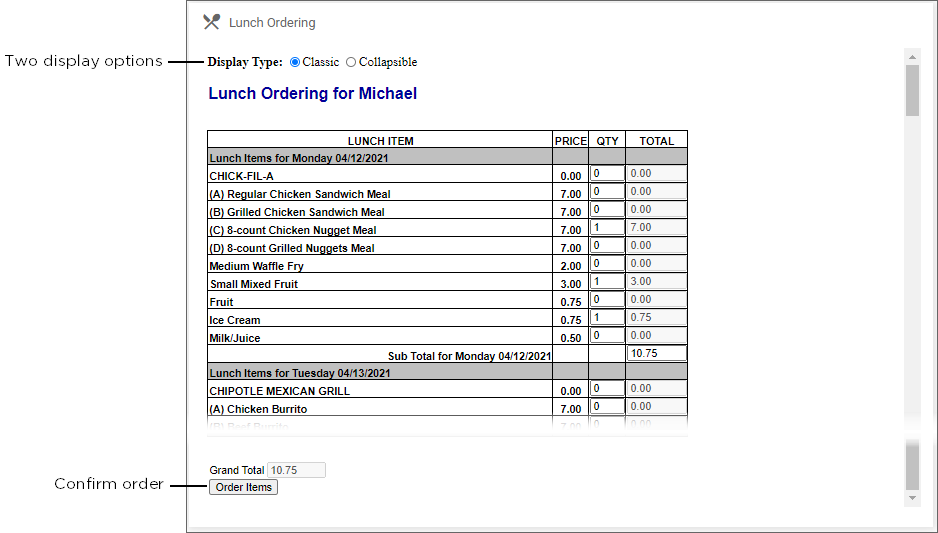
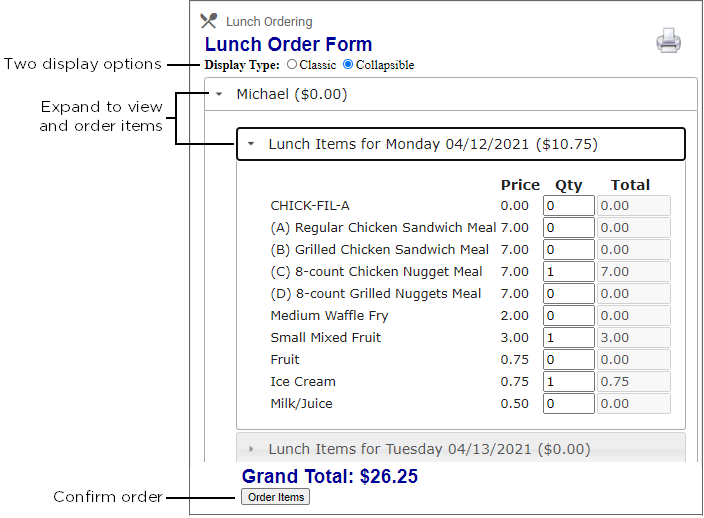
Parents may select Classic or Collapsible display types when creating a web order.
| Classic Display | Collapsible Display |
|---|---|
 |
 |
- From FACTSmgt.com, click Log In Here, then click Family Portal Login and log in.
- From the Menu icon
 click Student, then select Lunch.
 - Click +CREATE WEB ORDER.
- Click the student name to place an order.
- The Lunch Order Form expands listing each date an order may be placed.
- Click the date to place an order.
- Type the number of items to order for the student in the Quantity column. The Total column displays the cost.
- Repeat for all dates and all students. The Grand Total is listed at the bottom.
- Click Order Items.
Tip
- We suggest using Google Chrome or Firefox to place lunch orders.
- Do not leave the order screens until the transaction is complete, which may take several seconds.